Working with APIs in JavaScript
The following is some basic code that pulls "lorem ipsum" blog post text from the Scrimba.com API and inserts it into a web page using JavaScript. This is part of a lesson I worked through in Scrimba.com's front-end web developer course. I'm putting it here for note-taking purposes.
Here is the code for the index.html page:
<html>
    <head>
        <link rel="stylesheet" href="index.css">
    </head>
    <body>
        <div id="post"></div>
        <script src="index.js"></script>
    </body>
</html>
Here is the JavaScript code for index.js:
fetch("https://apis.scrimba.com/jsonplaceholder/posts")
    .then(res => res.json())
    .then(data => {
        const postsArr = data.slice(0, 5)
        let blogpost = document.getElementById("post")
        for (let i = 0; i < postsArr.length; i++) {
            blogpost.innerHTML += `
                <h1>${postsArr[i].title}</h1>
                <p>${postsArr[i].body}</p>
                `
        }
    })
And here is some CSS from index.css:
h1 {
    color: red;
    font-family: Verdana, Geneva, Tahoma, sans-serif;
    font-weight: 900;
}

p {
    color: darkred;
    font-family: 'Segoe UI', Tahoma, Geneva, Verdana, sans-serif;
    font-weight: 900;
}
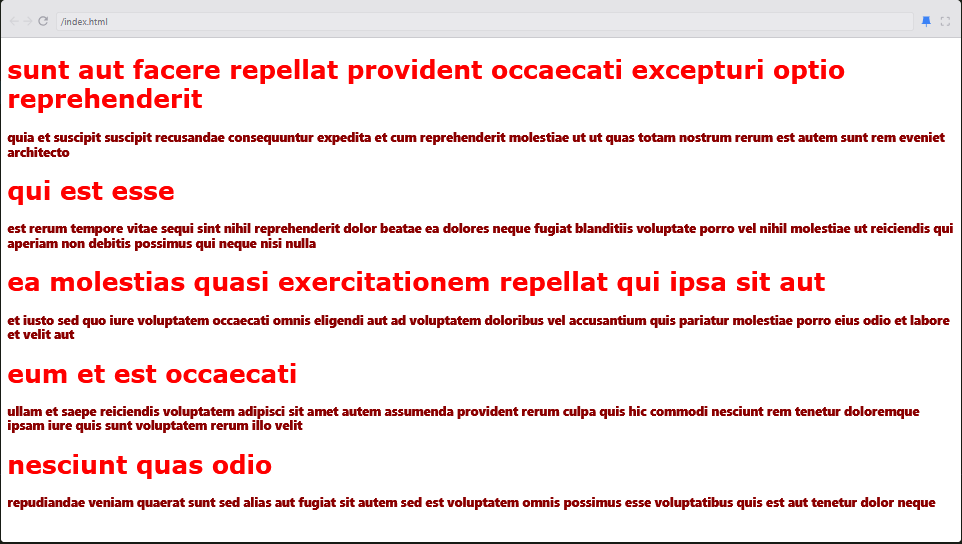
The JavaScript code pulls the first 5 blog posts from the Scrimba API and inserts the title and body from each post into index.html, which is then rendered into a web page. The end result looks like this: